Lock Folders
Instantly in Windows
Whether sharing a PC, working in an open office, or protecting private files from malware, here is the definitive guide to hiding and locking your directories.
The Quick Answer
Windows lacks a native folder password feature. For instant security, we recommend using Folder Protect to apply "No Access" flags—blocking access at the kernel level without the hassle of file encryption.
What does "protection" actually mean?
Before choosing a method, understand that there are three completely different ways your operating system handles file security:
Hiding
Makes folders invisible to standard users. Easily bypassed by anyone who checks "View Hidden Items."
Encryption
Scrambles data. Highly secure for portable drives, but painfully slow to unlock large folders locally.
Access Control
Uses system drivers to deny read/write requests. Instantaneous, secure, and doesn't alter files.
The 3 Methods to Secure Data
Windows Hidden Folders
A built-in feature to hide clutter. Right-click any folder, select Properties, and check the Hidden box.
ZIP File Encryption
Using free tools like 7-Zip to compress and encrypt. Right-click, select Add to archive, and set a password.
Kernel Access Control
Instead of scrambling your data, dedicated software intercepts Windows system requests. By assigning a security flag via software like Folder Protect, you tell the OS directly: "Deny all read/write attempts unless the Master Password is provided."
Instant Speed
Locks 100GB of video files just as fast as a 1MB text document.
Granular Rights
Set folders to "Read-Only" so others can view but cannot delete or edit.
Malware Defense
"No Write" flags prevent ransomware from encrypting your protected files.
Comparing The Approaches
Native Hiding
7-Zip Encryption
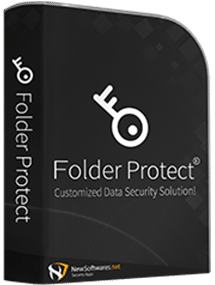
Folder Protect
Folder Protect
Of all utilities tested, Folder Protect offers the most elegant solution for shared computers. Instead of encrypting files, it uses an advanced Flag system to make folders Delete-Proof, Write-Protected, or completely Invisible at the Windows kernel level.
Standout Features
- Safe Mode Protection prevents bypassing via diagnostic boot.
- Stealth Mode hides the app, accessible only via custom hotkey.
- Extension-Level lock (e.g., protect all .pdf files globally).
Pricing & Verdict
Available for a $39.95 one-time purchase (perpetual license, no subscriptions).
"If you manage a small business desktop or share a home PC where accidental deletion causes major issues, this kernel-level protection is a required investment."
How to Protect a Folder (3 Steps)
Set the Master Password
Install the software. You will immediately be prompted to create a Master Password. This acts as the sole key to open the UI, modify settings, or uninstall the app.
Add Data to Protect
Click 'Add' inside the console. You can target specific files, entire folders, external drives, or even use 'Masks' to protect all files of a specific type (like all .jpg files).
.png)
.png)
.png)
.png)
Assign Security Flags
Select your desired protection level directly from the dashboard grid. The kernel driver enforces the rules instantly without moving or encrypting the files.
- No Access (Complete Lock)
- No Visible (Hide completely)
- No Write (Read-only)
- No Delete (Delete-proof)
.png)
Frequently Asked Questions
Is there a free way to password protect folders?
Yes, 7-Zip is free and secure. However, it relies on file compression/encryption, meaning you have to wait for it to pack and unpack the folder every time you use it. For instant locking, paid kernel-level tools are required.
Does Folder Protect work on Windows 11?
Yes, it is fully compatible with Windows 11, Windows 10, and older legacy systems like Windows 8 and 7.
Can malware bypass the protection?
Because the "No Write" and "No Delete" flags are enforced at the driver level, ransomware and malicious scripts are generally blocked from encrypting or destroying your protected files.
What's the difference between Folder Lock and Folder Protect?
Folder Lock (also by NewSoftwares) focuses on creating AES-256 encrypted lockers for high-security storage (like USBs). Folder Protect focuses on instant, localized access control using flags, without encrypting the underlying data.